LazyVim配置
MasterLazyVim 🏄
LazyVim🤔
LazyVim是一套Neovim配置,由lazy.nvim驱动,可以轻松自定义和扩展您的配置。LazyVim提供了两全其美的方式 - 根据需要调整配置的灵活性,以及默认预配置的便利性。它可以将您的Neovim转换为一个完整的IDE,具有易于自定义和扩展的配置,以及合理的默认设置。LazyVim还提供了许多预配置的插件,可立即使用!
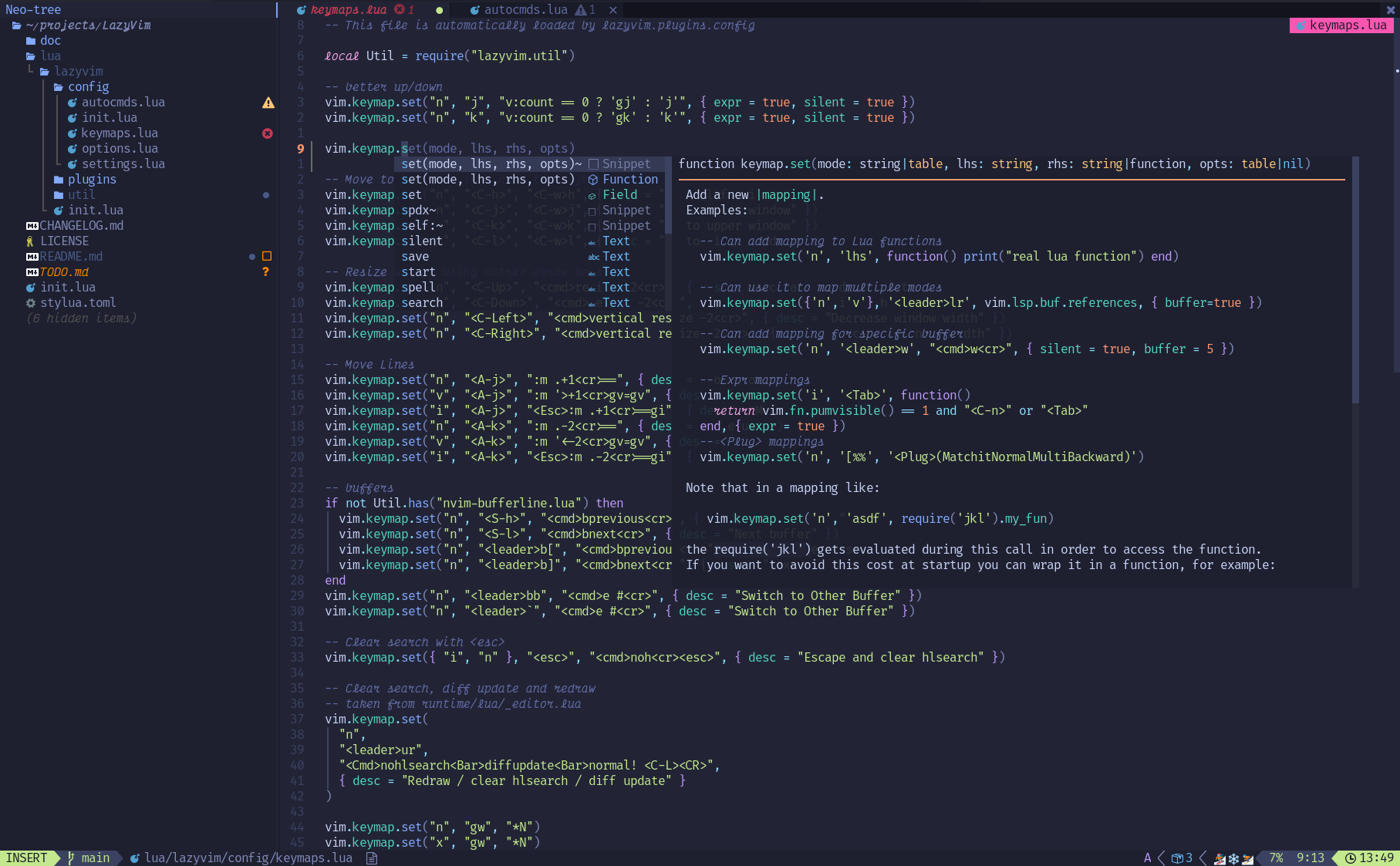
LazyVim 的出现可以说是将主流 IDE 和 Vim 的优点有机地结合在一起,使得它既具备强大的编辑和编程功能,同时也具备交互体验和开发效率。因此,使用 LazyVim 可以让你更加高效地完成编程工作,并且能够享受使用 Vim 带来的编辑效率和快乐。
⌨️ 快捷键
⚙️ 相关配置
1. 添加插件
在 .config/nvim/lua/plugins/ 新加 xxx.lua,格式参考 example.lua
修改主题,tokyonight.lua:
1
2
3
4
5
6
7
8
9
10
return {
{
"folke/tokyonight.nvim",
lazy = true,
opts = {
colorscheme = "tokyonight",
style = "storm",
},
},
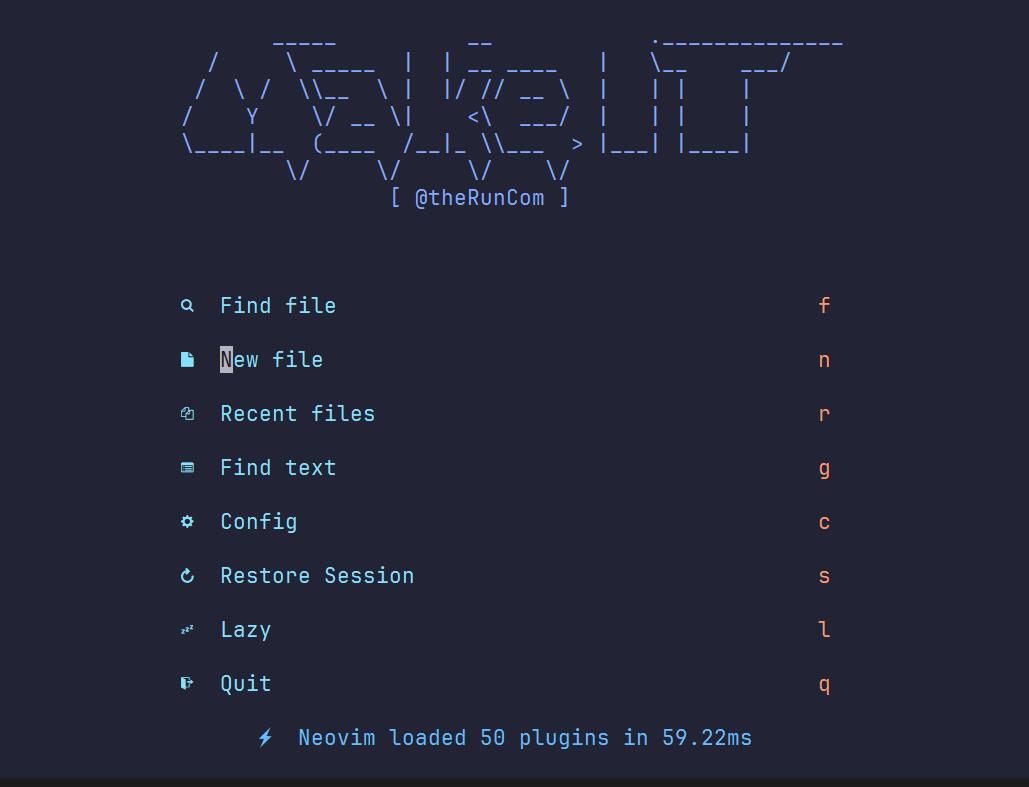
}更改开始面板logo,alpha.lua:
1
2
3
4
5
6
7
8
9
10
11
12
13
14
15
return {
"goolord/alpha-nvim",
opts = function(_, opts)
local logo = [[
_____ __ .______________
/ \ _____ | | __ ____ | \__ ___/
/ \ / \\__ \ | |/ // __ \ | | | |
/ Y \/ __ \| <\ ___/ | | | |
\____|__ (____ /__|_ \\___ > |___| |____|
\/ \/ \/ \/
[ @theRunCom ]
]]
opts.section.header.val = vim.split(logo, "\n", { trimempty = true })
end,
}
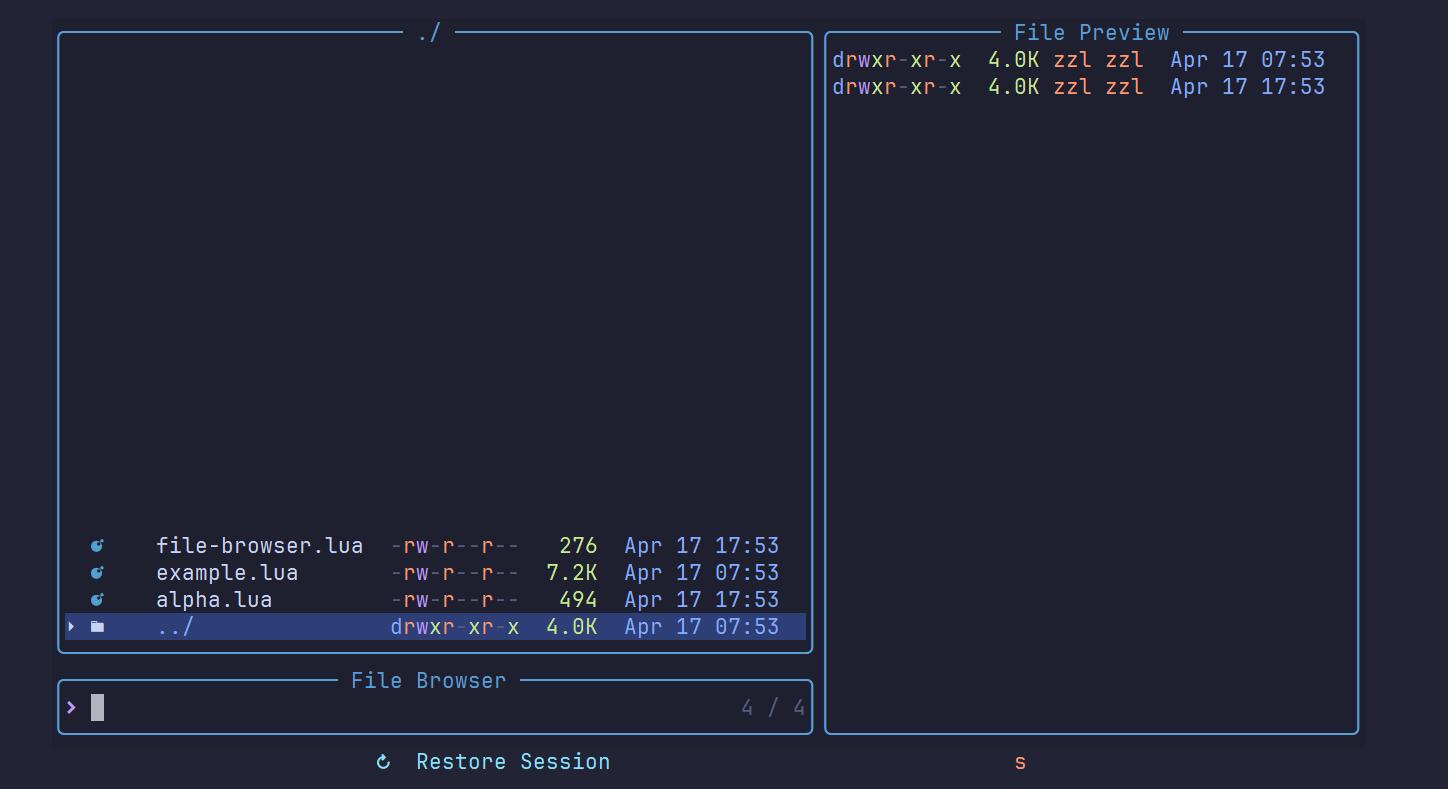
浏览文件,file-browser.lua:
1
2
3
4
5
6
7
8
9
10
11
12
13
return {
"nvim-telescope/telescope-file-browser.nvim",
keys = {
{
"<leader>sB",
":Telescope file_browser path=%:p:h=%:p:h<cr>",
desc = "Browse Files",
},
},
config = function()
require("telescope").load_extension("file_browser")
end,
}
终端,toggleterm.lua:
1
2
3
4
5
6
7
8
9
10
11
12
13
14
15
16
17
18
19
20
21
22
23
24
25
26
27
28
return {
{
"akinsho/toggleterm.nvim",
version = "*",
opts = {
size = 20,
open_mapping = [[<c-\>]],
hide_numbers = true,
shade_terminals = true,
shading_factor = 2,
start_in_insert = true,
insert_mappings = true,
persist_size = true,
direction = "float",
close_on_exit = true,
shell = vim.o.shell,
float_opts = {
border = "curved",
},
},
keys = {
{
"<c-\\>",
desc = "Toggle term",
},
},
},
}tree-sitter插件是基于tree-sitter的插件,可以为多种编辑器提供语法高亮、代码折叠、自动补全等功能,treesitter.lua:
1 | return { |
Tailwind CSS 相关支持,tailwind.lua:
1
2
3
4
5
6
7
8
9
10
11
12
13
14
15
16
17
18
19
20
21
22
23
24
25
26
27
28
29
30
31
32
return {
{
"neovim/nvim-lspconfig",
opts = {
servers = {
tailwindcss = {},
},
},
},
{
"NvChad/nvim-colorizer.lua",
opts = {
user_default_options = {
tailwind = true,
},
},
},
{
"hrsh7th/nvim-cmp",
dependencies = {
{ "roobert/tailwindcss-colorizer-cmp.nvim", config = true },
},
opts = function(_, opts)
-- original LazyVim kind icon formatter
local format_kinds = opts.formatting.format
opts.formatting.format = function(entry, item)
format_kinds(entry, item) -- add icons
return require("tailwindcss-colorizer-cmp").formatter(entry, item)
end
end,
},
}
Tips🔐
步骤
- 运行
:checkhealth
0:00 Introduction 0:24 LazyVim Installation 1:35 Show which-key 2:11 Add TypeScript Support 3:10 Find Files via Telescope 3:38 Leap.nvim Plugin 3:55 LSP Features 4:14 Search Grep via Telescope 4:32 Diagnostics 5:02 Colorscheme Picker 5:12 Switch Buffers 5:39 Splits 6:05 Todo Plugin 6:40 Autocompletion and Snippets 7:40 Find Keymaps 7:52 Lazy.nvim Plugin 8:34 Toggle Numbers 8:45 Global Search Replace 9:34 Lazygit Plugin 9:58 Terminal Plugin 10:49 Add Custom Option 11:30 Add Custom Keymap 12:46 Switch Default Colorscheme 13:59 Add New Plugin 15:11 Update Built-in Plugin 15:58 Disable Built-in Plugin 16:36 Conclusion